Resolving Snipe-IT Synology Folder Permissions
Archived post · originally published · may be out of date
Article inspiration:
- https://github.com/linuxserver/docker-snipe-it/issues/81
- https://mariushosting.com/how-to-install-viewtube-on-your-synology-nas
Intro
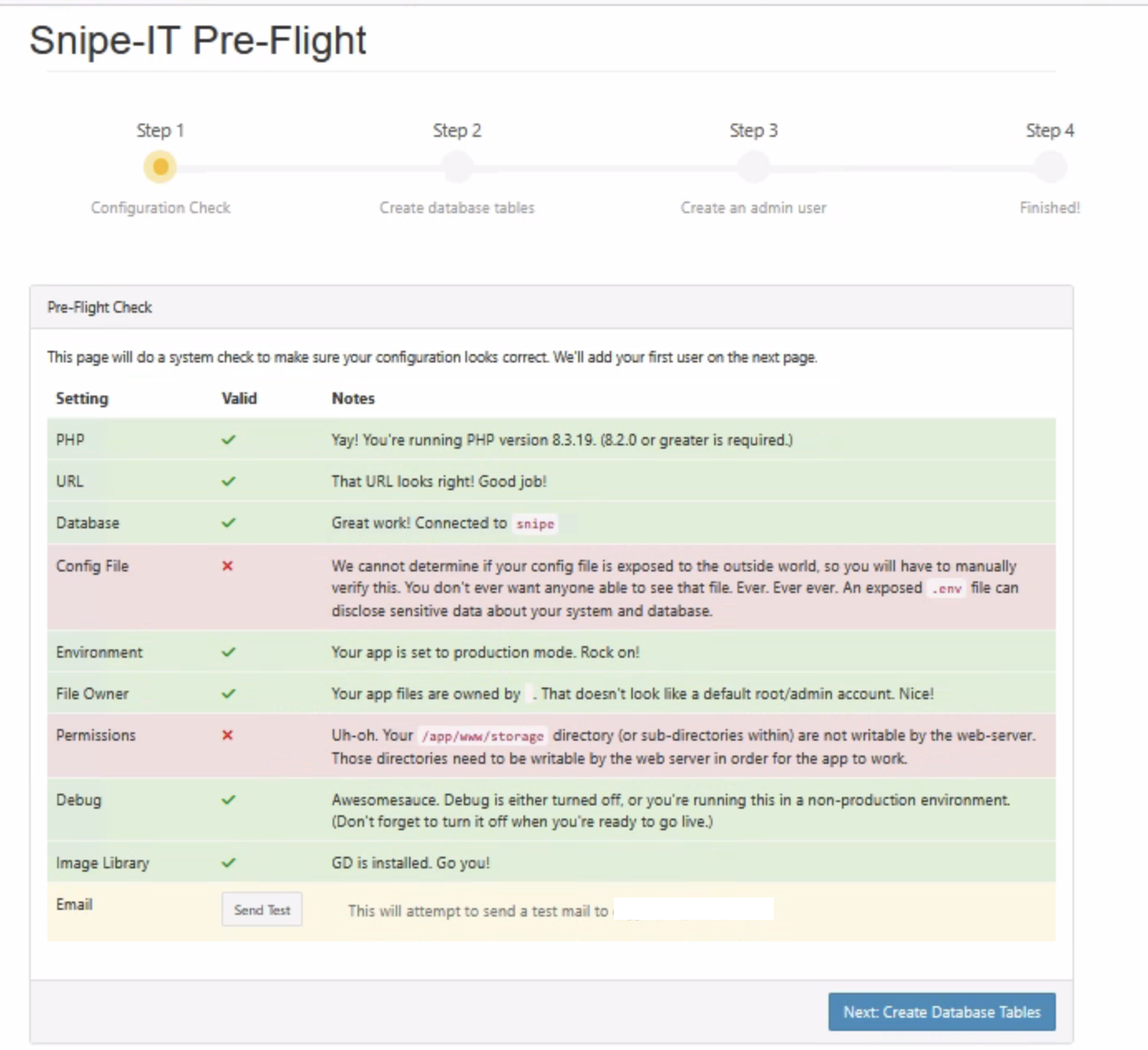
I had a bizarre issue recently with a brand new Synology that I was deploying Snipe-IT to, where during the pre-flight check I was greeted with the following error message:
Uh-oh. Your /app/w/storage directory (or sub-directories within) are not writable by the web-server. Those directories need to be writable by the web server in order for the app to work.
I have deployed Snipe-IT to various Synology environments, specifically the superior linuxserver version, and this was the first time this issue came up. One solution was to deploy Snipe-IT with a Docker volume but my preference with containers on a Synology is to use bind mounts instead (as I find it easier to backup the files with this method). I have noticed in the past that Synology devices handle container folder permissions differently compared to if you were running Docker natively on a Linux server. Clearly this error message was caused by a folder permissions issue but I was uncertain how to actually fix the problem:
Solution
After contacting Marius Hosting for a hand, he showed me that the solution is straightforward:
- Select the folder that will contain your future
Snipe-ITdeployment and open theFile Stationproperties menu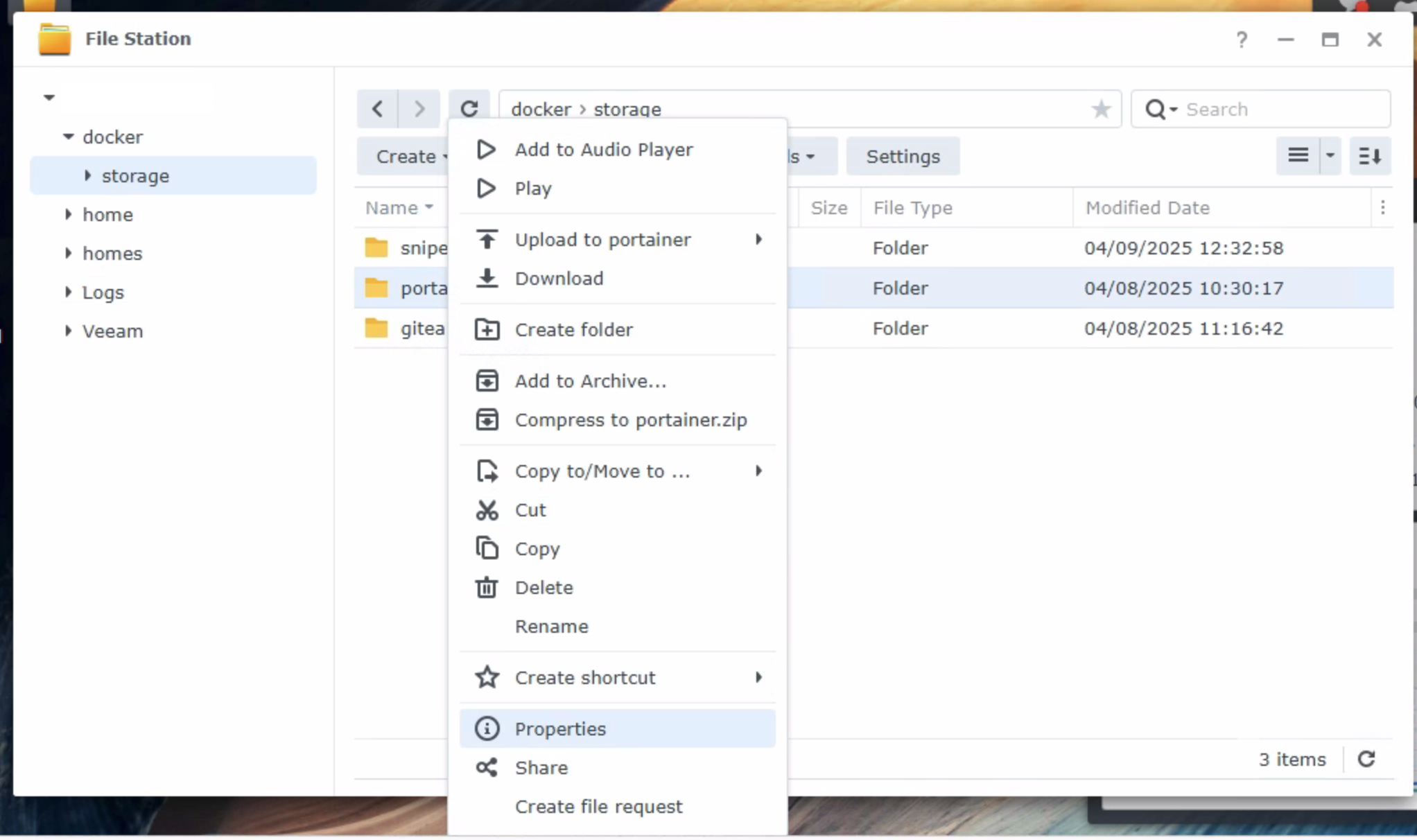
- What we are going to do is make the permissions for this folder explicit so we will then select
Make inherited permissions explicit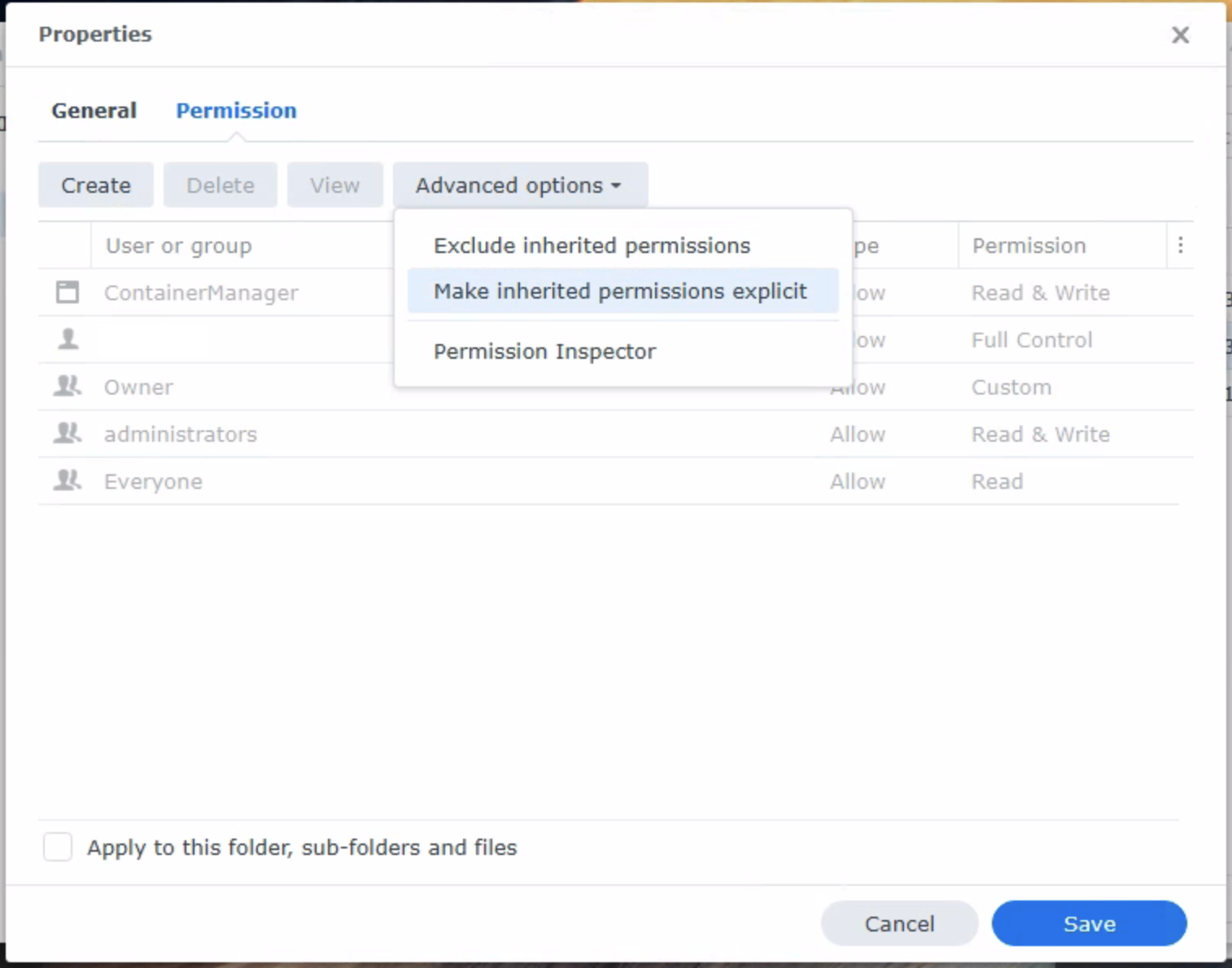
- Next we will select
Apply to this folder, sub-folders and files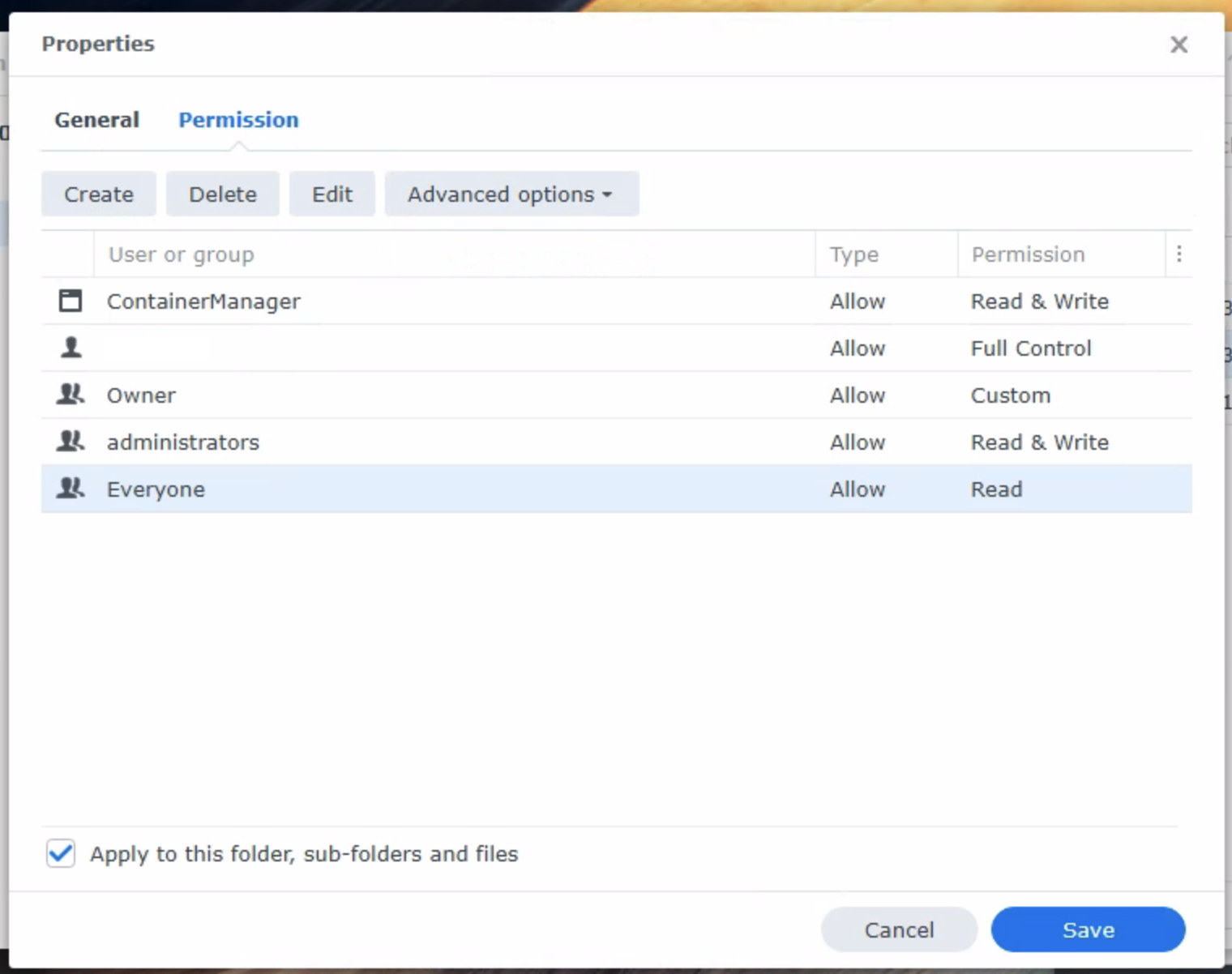
- Finally, we will grant the
Everyonegroup write permissions to this folder and then apply these new permissions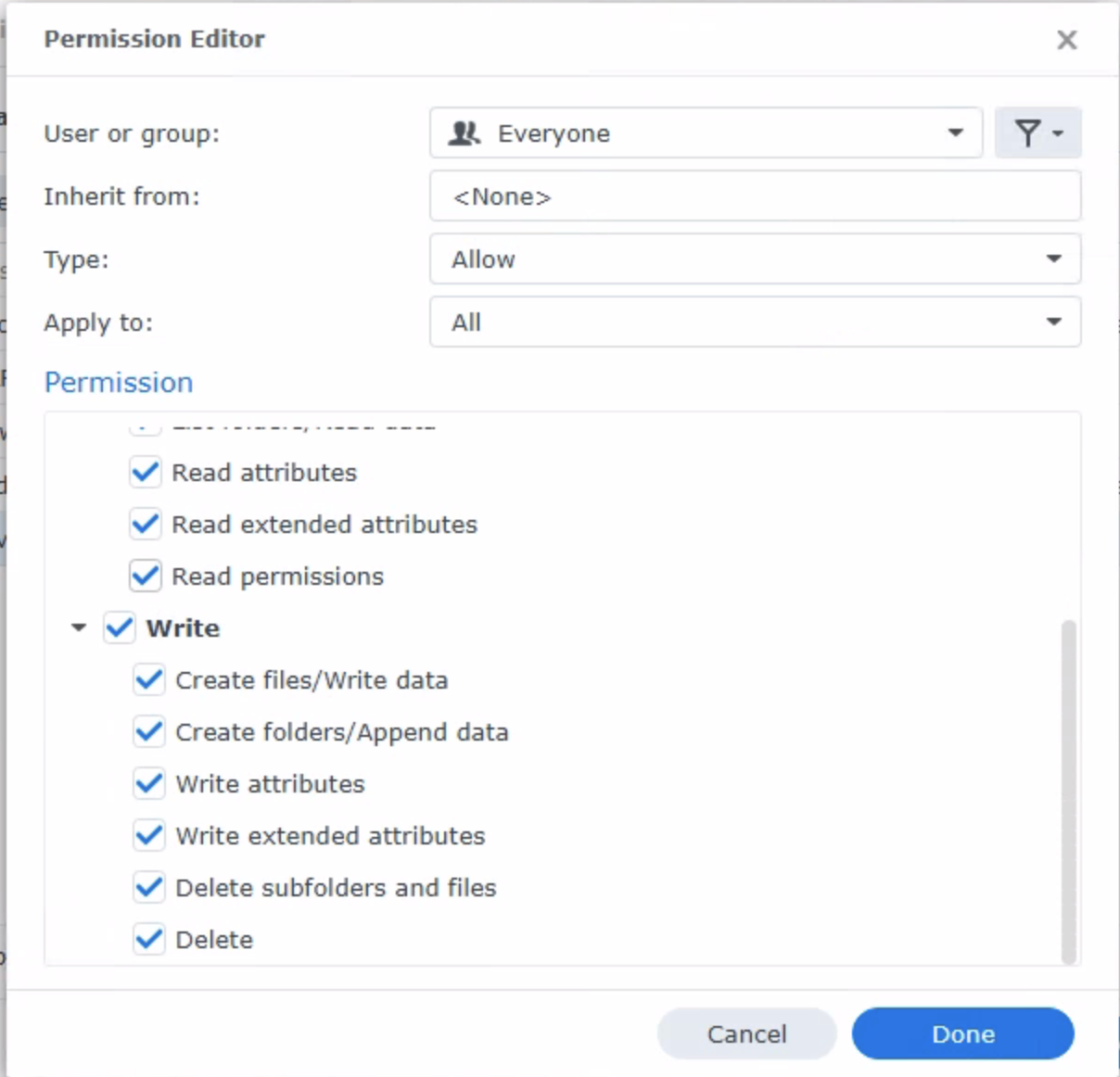
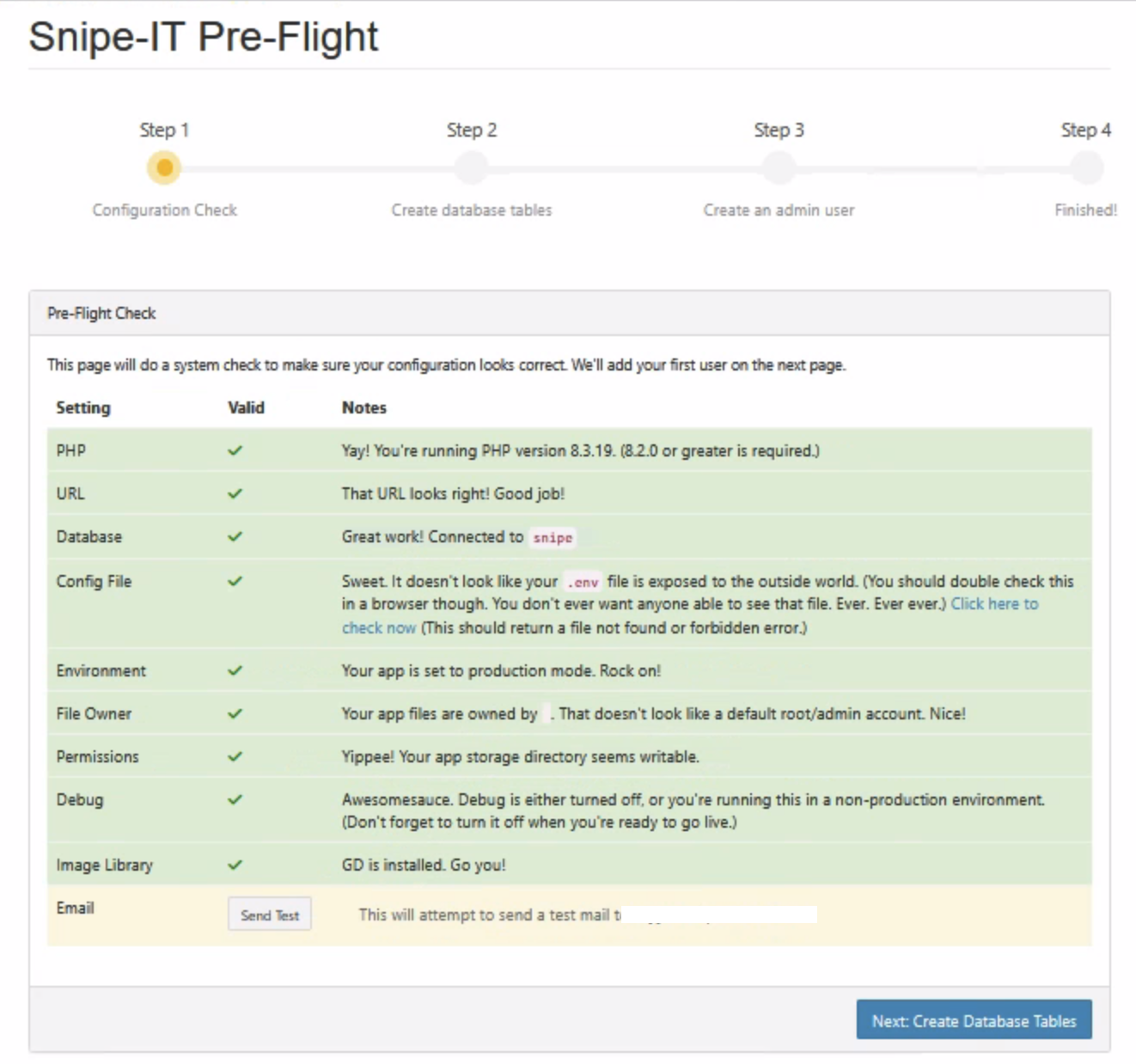
Once completed, when you go to theSnipe-ITpre-flight page, everything should be green: