Install a custom SSL (Tailscale) certificate on Nextcloud (VM)
Archived post · originally published · may be out of date
Intro
Nextcloud is a beast of an application that can be deployed in numerous ways but the community has mainly standardized on deploying Nextcloud with Let's Encrypt in a docker container. For my own reasons, I have decided on deploying Nextcloud in a VM instead, specifically the Hansson IT Nextcloud VM (which is a highly customized self-deploying VM of Nextcloud) but I ran into some problems when I attempted to install my own supplied SSL certificate, mainly due to a lack of documentation. Nextcloud uses Apache HTTP Server and as a result you need to configure Apache to work with your custom SSL certificate.
Guide
- Obtain a SSL certificate and install on your Nextcloud VM
- In my case I am using Tailscale because I want my application accessible only within my Tailnet ->
sudo tailscale cert [MACHINE NAME]to create my custom certificate. - The certificate file created by Tailscale is a
.crtand a.keypair but I had no issues replacing the default.pemand.keyused by Apache
- In my case I am using Tailscale because I want my application accessible only within my Tailnet ->
- Locate and modify the Apache
nextcloud_tls_domain_self_signed.conffile to use your new certificate ->sudo nano /etc/apache2/sites-available/nextcloud_tls_domain_self_signed.conf- In my case, the file I had to modify was the
nextcloud_http_domain_self_signed.conffile created by Nextcloud VM located in the/etc/apache2/sites-availablefolder (your filename may vary) - At the very bottom of the file you will see the title
### LOCATION OF CERT FILES ###where you will enter the path of your new certificate files
- In my case, the file I had to modify was the
### LOCATION OF CERT FILES ###

SSLCertificateFile /home/ncadmin/certificates/MY-CERTIFICATE.crt

SSLCertificateKeyFile /home/ncadmin/certificates/MY-CERTIFICATE.key
- Finally, restart Apache and test
- Become root ->
sudo -i - Then restart Apache ->
service apache2 restart
- Become root ->
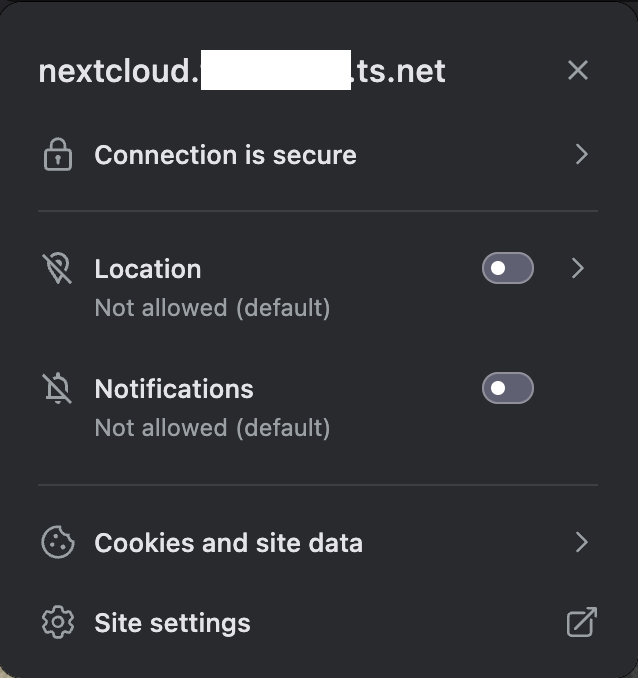
If everything worked, when you navigate to your Nextcloud instance there should be no HTTPS errors: